


Security rules for clients
Security rules for clients of Doscredobank OJSC
Doscredobank OJSC recommends that clients comply with security rules when using bank cards, accounts, online banking, mobile applications, ATMs and other banking services.
Compliance with these rules will help reduce the risk of fraud, unauthorized access to your funds and involvement in illegal financial schemes.
1. Main security rule
Do not tell or share with anyone:
- your online banking or mobile application password;
- bank card PIN; CVV/CVC code on the back of the card;
- one-time SMS codes;
- push codes and transaction confirmation codes;
- login, password, security words, and other access data to banking services;
- SIM card issued in your name;
- bank card, account, or account access.
Bank employees will never ask for your password, PIN, CVV/CVC code, SMS code, push code, or transaction confirmation code.
If you are asked for such information, this is a sign of fraud.

2. Important: transferring a card, account, or SIM card to third parties may result in criminal liability.
Do not transfer to third parties:
- bank cards;
- bank accounts and access to them;
- SIM cards issued in your name; e-wallets;
- logins and passwords for online banking or a mobile application;
- SMS codes, push codes, and other transaction confirmation codes.
Transferring or selling a bank card, electronic payment instrument, e-wallet, SIM card, or access to banking services to third parties may be classified as dropping (money mulling).
Dropping is participation in a scheme in which a card, account, SIM card, e-wallet, or access to a banking service is used to receive, transfer, cash out, or withdraw funds obtained through criminal activity.
Dropping is not a "side job," not "helping a friend," or "simple service for a fee." It may result in criminal liability.
On July 18, 2025, a law was signed in the Kyrgyz Republic amending Article 209-1 of the Criminal Code, establishing liability for the intentional transfer or sale of electronic payment instruments, virtual asset wallets, and SIM cards to third parties. Penalties depend on the extent of damage and the circumstances, ranging from fines to imprisonment for up to 10 years with confiscation of property in the most severe cases.
Do not accept offers to:
- apply for a card "for work";
- transfer a card or SIM card for a fee;
- accept money onto your card and transfer it further;
- withdraw cash and transfer it to another person;
- provide access to mobile banking; open an account, card, or e-wallet for another person;
- use your account for third-party transactions;
- work as a "financial agent," "intermediary," "transfer operator," or "courier" if this requires the use of your card, account, or SIM card.
If money is mistakenly credited to your card, do not transfer it using the details provided by an unknown person. Contact the Bank and proceed only through the official refund procedure.
If you have already transferred your card, SIM card, account access, mobile app, or online banking to third parties, contact the Bank immediately.

3. How to recognize fraud
Be careful if you receive a call, message via instant messaging, social media, SMS, or email stating that:
- they are trying to debit money from your account;
- they are applying for a loan in your name; you urgently need to “protect” money by transferring it to another account;
- you need to provide an SMS code, push code, PIN, CVV/CVC, or password;
- you need to install a remote access application;
- you need to follow a link and “update your details”;
- you received money by mistake and it needs to be returned to the specified details;
- your account, card, or account will be blocked if you do not immediately follow the instructions; you are being offered easy money for accepting, transferring, or withdrawing money.
Do not transfer money “to protect your account.” The Bank does not ask customers to transfer money to “safe,” “reserve,” or “protective” accounts.
4. Security of Internet Banking and Mobile Applications Install the Bank’s mobile application only from official app stores or via links from the Bank’s official website.
- Before accessing online banking, check the Bank's website address.
- Do not access online banking via links from suspicious emails, SMS, instant messaging apps, advertisements, or social media.
- Do not enter your login, password, or confirmation codes on websites that look similar to the Bank's website but have a different address.
- Do not use online banking on other people's computers, in internet cafes, on public devices, or over unknown Wi - Fi networks.
- Do not share your phone with third parties.
- Use a phone lock: password, PIN, biometrics, or another security method.
- Do not install apps from unknown sources.
- Do not install remote access apps such as AnyDesk, TeamViewer, RustDesk, and similar apps at the request of unknown parties. These apps can allow fraudsters to access your phone, banking app, SMS codes, and push notifications.
- If you lose your phone or SIM card, or suspect third-party access, immediately contact the Bank and your mobile operator.
- Use available additional security methods: one-time codes, push confirmations, transaction notifications, limits, and other mechanisms provided by the Bank.
- Multi-factor authentication is an additional level of protection, since logging in or confirming a transaction requires not only a password but also a second confirmation factor.
5. Passwords and confirmation codes
- Use a complex and unique password for online banking and the mobile app.
- Do not use the same password for the Bank, email, social media, or other services.
- Do not store passwords, PINs, and access codes in plain text:
- in phone notes;
- in instant messengers;
- on paper next to the card;
- in unprotected files;
- In photographs or screenshots.
- Change your password immediately if you suspect that it has become known to third parties.
- Do not disclose one-time SMS codes or push codes to anyone, even if the recipient claims to be a Bank employee, security service, law enforcement agency, or mobile operator employee.
- Before confirming a transaction, carefully check the amount, recipient, and purpose of payment.

6. Payment Card Security Do not share your bank card with anyone.
- Do not disclose your card PIN to anyone, including Bank employees, law enforcement agencies, cashiers, or retail employees.
- Do not write the PIN on the card or keep it with the card.
- Do not share the CVV/CVC code, card expiration date, or one-time confirmation codes by phone, email, instant messaging, or social media.
- Do not send photos of your card via instant messaging or social media.
- When paying at a retail location, ensure that the transaction is carried out in your presence.
- Do not allow the salesperson, waiter, or anyone else to take your card to another room.
- Use card limits:
- daily limit;
- cash withdrawal limit;
- online transaction limit;
- international transaction limit.
- Regularly check your statement and transaction notifications.
- If you lose your card, suspect that your details have been compromised, or discover an unknown transaction, immediately contact the Bank to block the card.
7. ATM Safety
- Use ATMs in well-lit and secure areas.
- Inspect the ATM before use.
- Please note:
- foreign devices on the card reader;
- keyboard overlays;
- unusual chambers or housing elements;
- signs of damage or tampering;
- suspicious messages on the screen.
- Cover the keyboard with your hand when entering your PIN.
- Do not accept help from strangers at the ATM.
- Do not allow anyone to distract you during a transaction.
- If the ATM behaves unusually, freezes, does not return the card, or arouses suspicion, cancel the transaction and contact the Bank.
- If the card remains in the ATM, immediately contact the Bank and block the card.
- Do not count money near the ATM. Immediately remove the card, cash, and receipt. If access to the ATM requires entering the card's PIN, do not use such a device.
- A card's PIN is not required to enter the ATM.

8. Phishing, Fake Websites, and Messages.
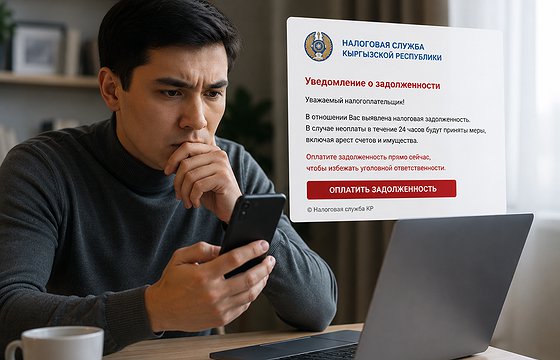
Phishing is a fraudulent scheme in which attackers create fake websites, emails, messages, or social media pages that resemble official resources of a bank, government agency, well-known companies, or payment services.
The goal of phishing is to trick the client into entering their login, password, card details, CVV/CVC, PIN, SMS code, or push code.
To protect yourself:
- Do not click suspicious links.
- Check the website address before entering data.
- Do not enter bank information on websites opened from advertisements, SMS, instant messaging, or unknown emails.
- Do not download files or attachments from messages from unknown senders.
- Do not trust messages containing threats, urgency, or promises of benefits.
- Do not enter card or bank access information on websites that promise payments, compensation, winnings, cashbacks, or urgent bonuses.
If in doubt, contact the Bank directly through official communication channels.

9. Fraud via telephone and instant messaging.
Fraudsters may pose as:
- Bank employees;
- Bank security service;
- law enforcement;
- mobile operators;
- relatives or acquaintances;
- buyers or sellers on online platforms;
- government employees;
- employers or company representatives.
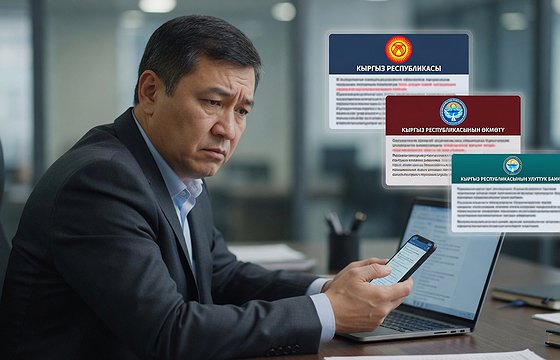
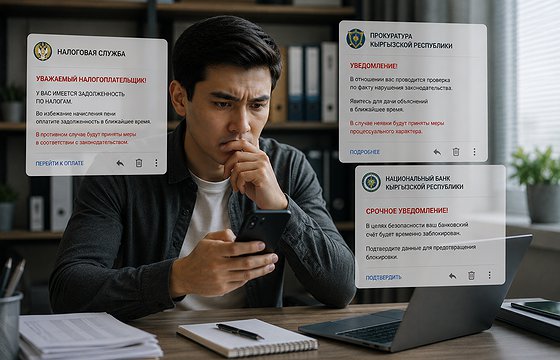
Fraudsters may use spoofed numbers, Bank logos, photographs of documents, voice messages, video calls, and convincing conversation scenarios.
If you receive a call asking you to perform a financial transaction, provide a code, install an app, hand over a card, or transfer money, end the conversation and call the Bank back on the official number.
10. QR codes and payment links.
- Check the payment purpose, recipient, and amount before confirming the transaction.
- Don't scan QR codes from unknown sources.
- Don't pay bills or services using links received from unknown parties.
- If, after scanning a QR code, a website asks you to enter your card details, password, or one-time code, make sure it's an official and secure resource.
- Don't use QR codes posted on dubious ads, in unknown chats, social networks, or on unverified websites.
11. Online Shopping and Transfers: Make purchases only on trusted websites.
- Verify the website address before paying.
- Don't save card details on dubious websites.
- Don't share one-time confirmation codes with sellers.
- Don't transfer prepayments to unknown parties without verification.
- Don't accept money on your card with a request to transfer it further.
- When selling goods, don't click links that claim to be for "receiving payment."
- Don't enter card details on pages directed to you by an unknown buyer or seller.
12. What to do if you suspect fraud.
Immediately contact the Bank if:
- you shared your password, PIN, CVV/CVC or SMS code with anyone; you followed a suspicious link and entered data;
- you installed an application at the request of an unknown person;
- you detected an unknown transaction;
- your phone, SIM card or card was lost;
- you received a suspicious call on behalf of the Bank; someone else may have gained access to online banking or a mobile application;
- you gave your card, SIM card, account or access to a banking service to third parties;
- unknown funds were credited to your card;
- you were offered earnings for accepting, transferring or withdrawing funds.
Before contacting the Bank, if possible:
- block your card;
- change your password;
- disable online transactions or reduce limits;
- delete suspicious applications;
- Contact your mobile operator if you are concerned about your SIM card being reissued; save correspondence, phone numbers, links, and screenshots for future reference.
13. Helpful tips for storing your card
- Keep your card in a safe place.
- Do not leave the card unattended.
- Protect the card from mechanical damage.
- Do not store the card near objects that could damage it.
- Do not pass the card on to third parties.
- Upon receipt of a new card, sign it immediately, if required by the card type.
- Destroy the old or blocked card in a secure manner, damaging the magnetic strip and chip.
14. Brief Client Information
Remember the basic rules:
- The Bank never asks for an SMS code, push code, PIN code, CVV/CVC code, or password.
- Do not transfer funds to "secure accounts."
- Do not install remote access applications at the request of unknown persons.
- Do not transfer your card, account, SIM card, or banking access to third parties.
- Do not agree to "easy money" using your card or account.
- Check the Bank's website address before logging in.
- If you suspect fraud, contact the Bank immediately.
15. Main Warning
If you are rushed, threatened, asked to provide a code, install an application, follow a link, hand over your card, SIM card, or transfer money, stop.
Do not follow the instructions of unknown persons.
Contact the Bank yourself through official communication channels.
Do not become a dropper. Transferring your card, account, SIM card, e-wallet, or access to banking services to third parties may result in criminal liability.